You’ve just spent £1,200 on a MacBook Air, and now you’re about to strap it to the back of a machine that rattles over potholes, cobblestones, and those lovely British drain covers that sit 3cm below the road surface. The commute by e-bike saves you money, keeps you fit, and gets you past the traffic queuing down the A4. But that nagging fear — one bad bump and your laptop screen cracks — stops a lot of people from even trying.
Here’s the thing: thousands of UK e-bike commuters carry laptops every single day without issue. The trick isn’t luck. It’s choosing the right bag, packing it properly, and knowing which mistakes to avoid. This guide covers exactly how to carry a laptop on an e-bike without damage, from the best carrying methods to the small details that make all the difference.
Why E-Bikes Make Laptop Carrying Trickier Than You’d Think
Regular cyclists have been commuting with laptops for decades, so what’s different about an e-bike? Speed, mostly. A typical e-bike assists up to 15.5 mph (the UK legal limit), meaning you hit bumps harder and more frequently than someone pedalling along at 10 mph. That extra momentum transfers directly into whatever’s sitting on your rear rack or bouncing around in your backpack.
E-bikes are also heavier — most weigh between 20-25kg — which changes how the bike handles with a loaded rear. Add a 2kg laptop, a charger, and your lunch, and you’ve got a setup that needs proper weight distribution to stay stable.
None of this is insurmountable. It just means the “chuck it in a rucksack and hope for the best” approach that works on a gentle 3-mile pedal doesn’t cut it when you’re doing 12 miles at assisted speed through town. If you’re still choosing your e-bike, our guide on how to choose a folding e-bike covers weight and handling considerations that directly affect commuting comfort.
The Three Ways to Carry a Laptop on an E-Bike
There are really only three practical methods, and each has clear pros and cons.
Pannier Bags (The Best Option for Most People)
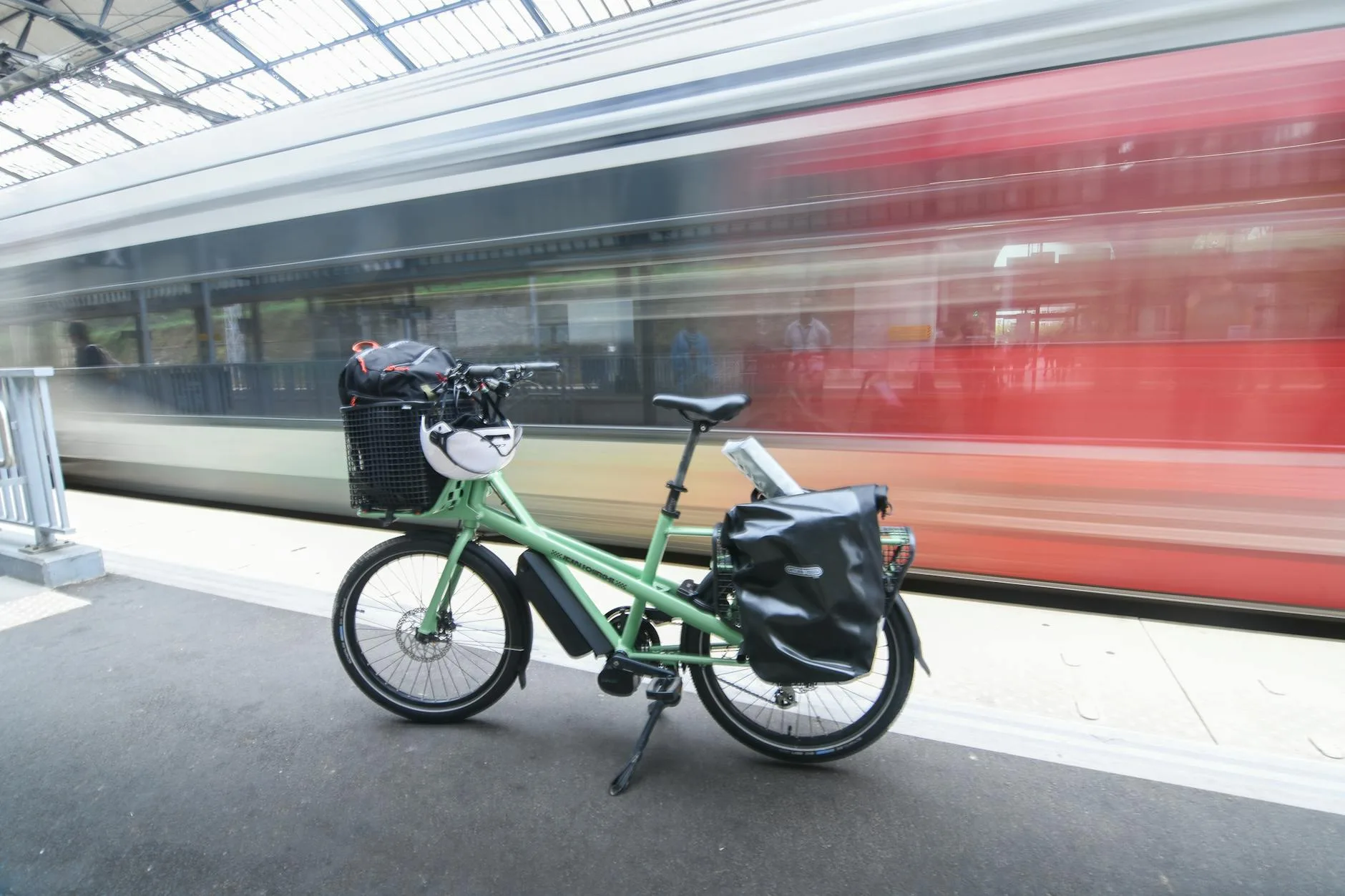
A pannier bag clips onto your rear rack and sits low on either side of the wheel. This is the gold standard for laptop commuting, and for good reason — it keeps the weight low and centred, so your bike handles almost normally. Your back stays dry and cool. Your shoulders don’t ache after 30 minutes.
The best laptop-specific panniers have a padded sleeve built in, usually fitting laptops up to 15.6 inches. Look for ones with a rigid back panel — this stops the bag from sagging into your wheel spokes, which is a real problem with cheap panniers.
Top picks for UK commuters:
- Ortlieb Office-Bag — about £130-160 from Halfords or Amazon UK. Waterproof, padded laptop compartment, bombproof clip system. The one most serious commuters end up buying after trying cheaper options first.
- Thule Shield Pannier — around £80-100. Good laptop protection, lighter than the Ortlieb, but not quite as waterproof in sustained heavy rain.
- Altura Dryline 2 — roughly £50-70 from Halfords. Decent budget option. The padding is thinner, so you’ll want to add a separate laptop sleeve inside for extra peace of mind.
The Ortlieb is the one I’d buy. It costs more, but the QL2.1 mounting system means you can clip it on and off the rack one-handed, which matters when you’re running late and fumbling with your bike lock outside the office.
Backpacks (Works, But With Caveats)
A cycling-specific backpack with a laptop compartment gets the job done. You’ve got total control — the laptop moves with your body, not with the bike. No rack required, which suits e-bikes that don’t have one.
The downsides are obvious: sweaty back, shoulder strain on longer rides, and you’re raising the centre of gravity, which makes the bike feel twitchier at speed. If your commute is under 5 miles, a backpack is perfectly fine. Over that, you’ll start to notice the discomfort.
What to look for:
- Dedicated laptop sleeve that’s suspended (doesn’t touch the bottom of the bag)
- Chest and waist straps to stop the bag bouncing
- Ventilated back panel — you’ll sweat regardless, but mesh channels help
- Rain cover built in, not sold separately
The Osprey Arcane Large Day (about £90) and the Deuter Race EXP Air (around £100 from Decathlon) both work well. Avoid generic fashion backpacks — they offer zero impact protection.
Handlebar Bags and Frame Bags (Not Recommended)
Quick mention because people ask: don’t put your laptop in a handlebar bag. The vibration is worse at the front, the bags aren’t designed for the weight, and it affects your steering. Frame bags are too narrow for anything over a tablet. Stick to panniers or a backpack.
How to Pack Your Laptop for Maximum Protection
The bag is only half the equation. How you pack it matters just as much.
Use a Separate Laptop Sleeve Inside Your Bag
Even if your pannier has a built-in padded compartment, adding a neoprene sleeve gives you a second layer of shock absorption. A decent one costs about £10-15 from Amazon UK. The Tomtoc 360° sleeve is popular and fits most 13-14 inch laptops snugly. For 15.6 inch, the Amazon Basics version does the job without any fuss.
This double-layer approach sounds like overkill until you hit a pothole you didn’t see at 15 mph. The outer bag absorbs the first hit, the sleeve catches the rest.
Keep the Laptop Vertical, Not Flat
Your laptop is stronger when it’s upright (like a book on a shelf) than when it’s lying flat. In a pannier, this usually happens naturally — the bag hangs vertically. In a backpack, make sure the laptop sits against your back in the spine pocket, not loose in the main compartment.
Eliminate Movement Inside the Bag
The biggest killer isn’t the big impacts — it’s the constant micro-vibrations from road surface over 20 or 30 minutes. If your laptop can slide around inside the bag, those vibrations multiply. Pack clothing, a towel, or your lunch either side of the laptop to keep it wedged in place. No rattle, no damage.
Remove Anything Hard From Near the Laptop
Your charger brick, your bike lock key, that random collection of Biros at the bottom of your bag — keep all of it away from the laptop compartment. A charger corner pressing against a screen for an entire commute will leave a mark or worse.
Choosing the Right Rack for Pannier Commuting
If you’re going the pannier route (and you should), you need a rack that’s up to the task. Most e-bikes over £1,000 come with a rear rack fitted, but budget models often don’t.
What matters:
- Weight capacity — minimum 25kg rated. Your laptop bag, charger, lunch, and whatever else you throw in will hit 5-7kg easily. You want headroom.
- Compatibility — check whether your e-bike has rack mounting eyelets on the frame. If not, you’ll need a seatpost-mounted rack, which is less stable and has lower weight limits.
- Width — the rack needs to be wide enough that panniers don’t rub the tyre. Standard width is 14-15cm.
The Topeak Explorer (about £40-55) is a reliable choice that fits most frames. If your e-bike has through-axle rear dropouts — increasingly common — double check compatibility, as older rack designs assume quick-release.
For e-bikes with mid-drive motors, the frame geometry sometimes makes rack fitting awkward. Check before you buy.
Weatherproofing — Because This Is Britain
Rain isn’t a maybe in the UK. It’s a when. Your laptop protection strategy needs to assume you’ll get caught in a downpour at least once a week between October and April. Probably May too. And June sometimes. You know how it is.
Waterproof Panniers vs Rain Covers
Proper waterproof panniers (like the Ortlieb range) use roll-top closures and welded seams. They’ll handle anything short of full submersion. Cheaper panniers with rain covers are a gamble — the covers flap around at speed, and water finds its way in through the zips underneath. For related guidance, see our E-Bike Weight Limits: How Much Can They Carry? guide.
If you’ve already got a non-waterproof pannier, a dry bag inside is the cheapest fix. A 10-litre drybag costs about £5-8 and adds genuine peace of mind. Slip the laptop (in its sleeve) into the drybag, roll the top three times, clip it shut, then put the drybag inside the pannier.
Backpack Rain Covers
Most cycling backpacks include a pull-out rain cover in a pocket at the base. Test it before you need it — some are fiddly to deploy, and the last thing you want is to be wrestling with elastic at the side of the road while rain pelts your laptop.
Road Surface and Route Planning
This sounds obsessive, but hear me out. The single biggest threat to your laptop isn’t rain or a crash — it’s sustained vibration over rough roads. And UK roads, as anyone who’s ridden on them knows, range from “acceptable” to “lunar surface.”
Pick Smoother Routes
If your commute has options, favour roads with better surfaces even if they’re slightly longer. Cycle paths alongside canals are usually smooth tarmac. Residential streets with speed bumps are predictably rough but at least you can see them coming. The potholed B-road might be shorter, but your laptop takes a hammering on every ride.
Tyre Pressure Matters More Than You Think
Lower tyre pressure absorbs more road vibration. Most e-bike commuters run their tyres too hard. If your tyres are rated for 40-65 PSI, try running at 45-50 PSI for commuting rather than pumping them to the max. You lose a tiny bit of efficiency but gain noticeably smoother ride quality.
Wider tyres also help. If your e-bike can fit 45mm or 50mm tyres, you’ll feel the difference on rough surfaces compared to the 35mm tyres that many e-bikes ship with.
Stand Up for the Bad Bits
When you spot a pothole or a rough patch ahead, lift your weight off the saddle slightly and let your legs absorb the impact. This is standard cycling technique, but it makes a meaningful difference to how much shock reaches your rear rack — and your laptop.
Common Mistakes That Damage Laptops on E-Bikes
A quick rundown of what goes wrong, so you can avoid it:
- Using a single-strap messenger bag — the laptop swings around, hits your hip, and has no padding. These look cool. They’re terrible for laptops.
- Bungee-cording a laptop bag to the rack — the laptop bounces with every bump. Bungees stretch. That’s the entire problem.
- Leaving the laptop in a hot pannier — black panniers in direct sun can hit 50°C+ in summer. Not great for battery health. Park in the shade or bring the pannier inside.
- Ignoring a cracked laptop case — if your laptop case already has a hairline crack, vibration will make it worse fast. Fix it or add extra padding before riding.
- Overloading one side — if you’re running a single pannier, the bike pulls to one side. This makes handling worse and increases the chance of an unplanned dismount. Either use two panniers (balance the weight) or pack light enough that the asymmetry doesn’t matter.
What About Suspension?
Some e-bikes come with front suspension forks, and a handful have rear suspension too. Does this help? A bit. Front suspension doesn’t do much for a rear-mounted pannier. Rear suspension helps more, but it’s rare on commuter e-bikes and adds cost and weight.
A suspension seatpost (about £50-80) is a more practical upgrade if vibration worries you. It won’t help the pannier directly, but it keeps you more comfortable, which makes it easier to ride smoothly and avoid jerky movements that jostle the load.
For longer commutes, especially on rough routes, proper e-bike touring setups with quality suspension can make a noticeable difference.
The Quick Checklist Before Every Ride
Stick this somewhere you’ll see it for the first few weeks:
- Laptop in sleeve — always, even if pannier is padded
- Sleeve in padded compartment — upright, not flat
- Nothing hard touching the laptop — charger, keys, tools elsewhere
- Pannier clipped securely — give it a tug to check
- Bag closed and weatherproofed — roll-top sealed or rain cover accessible
- Tyre pressure checked — weekly at minimum, ideally before every ride
- Route considered — smoothest practical option
FAQ
Can I carry a laptop on an e-bike safely? With a padded pannier bag or cycling backpack, a separate laptop sleeve, and sensible packing, thousands of UK commuters carry laptops on e-bikes daily without damage. The key is proper padding and secure mounting.
What is the best bag for carrying a laptop on an e-bike? A waterproof pannier bag with a padded laptop compartment is the best option. The Ortlieb Office-Bag (around £130-160) is the go-to choice for most serious commuters — it’s waterproof, clips on one-handed, and has genuine laptop protection built in.
Will road vibration damage my laptop on an e-bike? Modern laptops with solid-state drives handle vibration well. The bigger risk is screen damage from hard impacts. A padded sleeve inside your bag, slightly lower tyre pressure, and choosing smoother routes all reduce vibration to a safe level.
Do I need a rear rack to carry a laptop on an e-bike? Not necessarily. A cycling backpack with a dedicated laptop compartment works for shorter commutes. But for anything over 5 miles, a rear rack with pannier bags is more comfortable and keeps weight off your back.
Should I use a laptop sleeve even if my bag is padded? Always. A separate neoprene sleeve costs about £10-15 and adds a second layer of shock absorption. The bag handles the first hit, the sleeve catches the rest. Cheap insurance for an expensive laptop.
Bottom Line
You don’t need expensive gear or a complicated setup to carry a laptop on an e-bike without damage. A decent pannier with a built-in laptop compartment, a £10 neoprene sleeve, and five minutes of sensible packing is all it takes. The Ortlieb Office-Bag is the one to beat if you can stretch to £130, but even a budget Altura pannier with a separate sleeve will protect your laptop through years of commuting.
The real secret is consistency. Pack it the same way every time, check your tyre pressure weekly, and pick routes that don’t feel like a mountain bike trail. Do that, and your laptop will be just as safe on your e-bike as it is in the boot of your car — probably safer, since at least you won’t slam the boot lid on it.